
Corridors
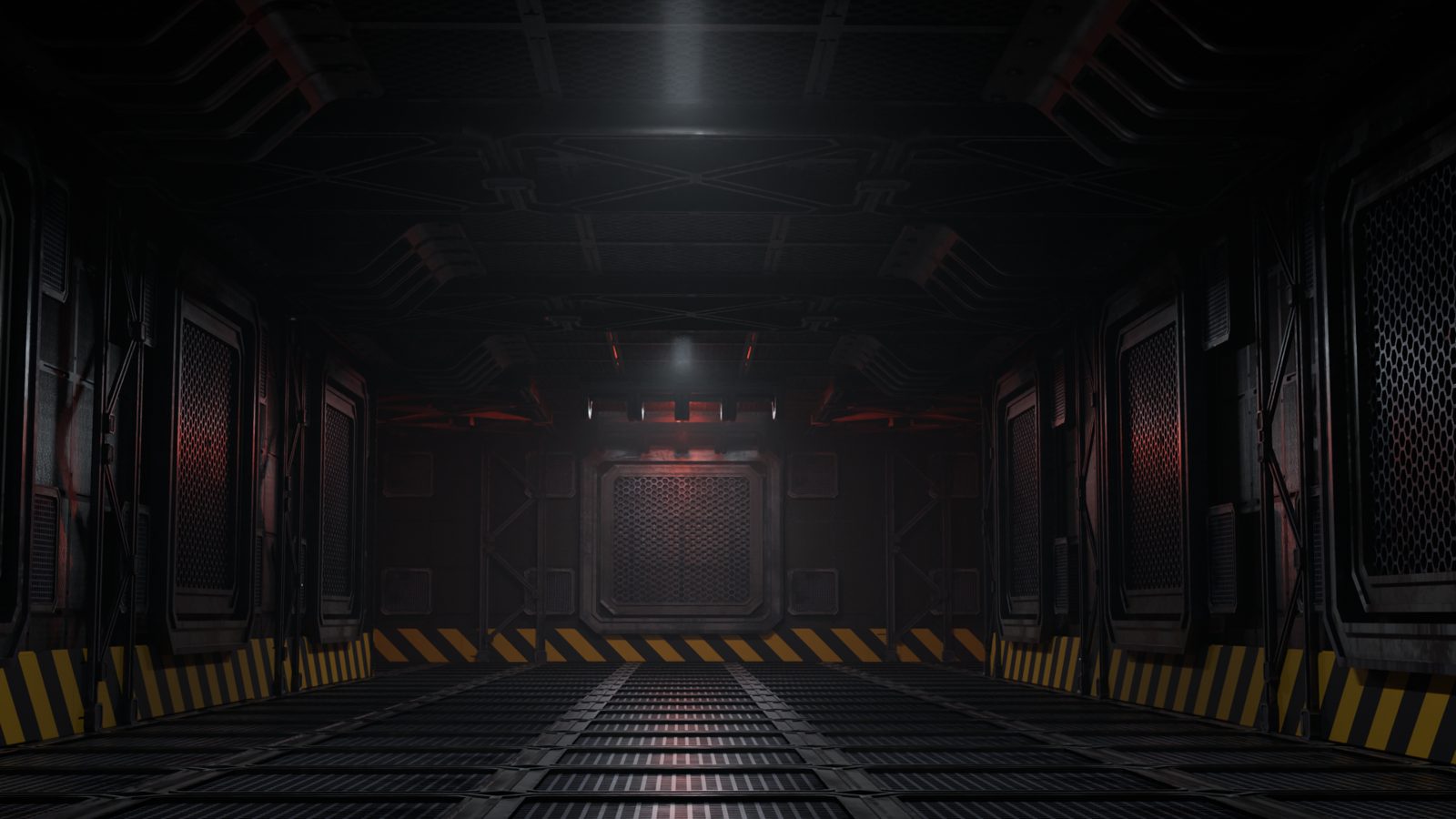
Straight or curved up to 30°, T, L and X junctions, octagonal spaceship halls, open or closed ends, kick plates, emergency lights and haze.
Blender add-on · AI environment builder · Kitbash
The must-have tool for kitbashing. Buy your kitbash elements anywhere, then use them easily in AI Studio. Describe a scene in plain English and it builds it in Blender from the packs you own. Preview first, then edit live with no credits. The AI is free with Google Gemini.
01 · Describe it
"A 30 m industrial sci-fi corridor with a T junction, curving 20° left, red emergency lights." AI Studio turns that into a plan: sizes, pieces, lights and style, with every assumption listed so you can check it before anything is built.
02 · Build from an image
Pick a pack's splash render or any reference picture. The AI reads the space, the wall profile, the rhythm of ribs and frames, the light and the haze, and builds an 80–90% match from your pieces. Human Reference sizes it all against a 1.8 m person.
03 · Your kit, not a guess
Superhive, ArtStation, Gumroad, KitBash3D or your own models: if it's a .blend, FBX, OBJ or glTF, AI Studio can build with it. Make Asset Library turns folders of FBX, OBJ or glTF into a proper Blender library with sharp previews, fixed sizes and centred pieces. Describe My Library lets the AI learn each piece once. Give a piece a role and every plan uses it first.
04 · Preview, then build
The plan draws the outline and a simple box for every piece right in the viewport, with north, south, east and west on the floor grid. Nothing is created until you press Build It.
05 · Edit live, no credits
Swap a piece, turn it, mirror it, resize it. Curve the hall, close its ends, change the wall pattern, move a door, add a row of lights. Everything rebuilds in place, and none of it uses the AI.
Current build types
More build types are on the way, and your libraries, roles and kits carry over to each one.
Straight or curved up to 30°, T, L and X junctions, octagonal spaceship halls, open or closed ends, kick plates, emergency lights and haze.
Straight or curved walls built from whole pieces at their true size, with towers or posts every few sections.
Rectangles and L-shapes with door and window openings at standard sizes, material-ready walls, and furniture placed the way a person would.
No kit yet? Switch to Simple Shapes and get the same layout, rhythm and lights as panels, boxes and cylinders.
Visiflex vs AI generators
| AI 3D generators | Visiflex AI Studio | |
|---|---|---|
| Makes | Single meshes | Whole environments |
| Pieces | Generated, needs cleanup | Your handmade kit, one consistent style |
| Changes | Regenerate | Live edits, no tokens |
| Cost | Monthly credits | Pay once; the AI is free with Google Gemini, or fractions of a cent per plan on a paid key |
| Licensing | New questions | Assets you already licensed |
Already using a generator? Put its models in your Asset Browser and Visiflex places them like any other piece.
Pricing
Use a free Google Gemini key and planning costs nothing. Prefer OpenAI or Claude? Use your own key for a fraction of a cent per plan.
$59 USD, one-time
Launching on Superhive and here. Beta testers get it first.
Nothing, with Google Gemini. Get a free key at Google AI Studio in a couple of minutes, no card needed, and plan, build from images and describe your libraries at no cost. On a paid key from any provider it's usually a fraction of a cent per plan.
You always pay the AI provider directly, never us. The add-on shows an estimate before every request, keeps a usage log by day and month, and can stop at a budget you set. Editing after the build is always free.
FAQ
Yes, with Google Gemini. Google's free tier needs no card and covers planning, Build from Image and Describe My Library. It has daily limits, and Google may use free-tier requests to improve its products. If you want higher limits or more privacy, add billing in Google AI Studio or use an OpenAI or Claude key; a plan then costs a fraction of a cent. The add-on shows the cost of every request either way.
No. It lays out and assembles pieces from your own libraries. Every mesh is one you already own.
Any Blender asset library, and folders of FBX, OBJ or glTF models. Packs with clear shapes and consistent sizes give the best results.
Your description; the names, sizes, short descriptions and thumbnails of candidate pieces; and any reference picture you pick. Never your models, textures or .blend files. Your API key stays on your computer.
Planning and Describe My Library need the AI. Scanning, previews and all editing after the build work offline.
Email support@visiflexlabs.com. We aim to reply within 72 hours.